Export a small musical contract
Before exporting, decide what the patch promises to its interface. Give parameters stable names, meaningful ranges and sensible initial values. Identify which actions are momentary and which represent stored state. Decide what happens when the input stops and how the instrument returns to a familiar sound. These choices form a small contract between the sound engine and the page.
Start with fewer parameters than the full patch contains. A browser instrument can expose a performance surface while keeping development controls inside the source project. Choose the controls someone needs for a first useful minute, then make their relationships clear. A panel full of internal variables is not automatically a more capable musical interface.
Separate loading from starting sound
Cycling ’74’s browser guide loads the exported patch JSON, creates an RNBO device with an AudioContext and connects the device’s audio node. It also notes that the page must be served rather than opened directly as a file, and that audio may need to be resumed from a user action. Use the official webpage example as a starting point for the export and runtime setup.
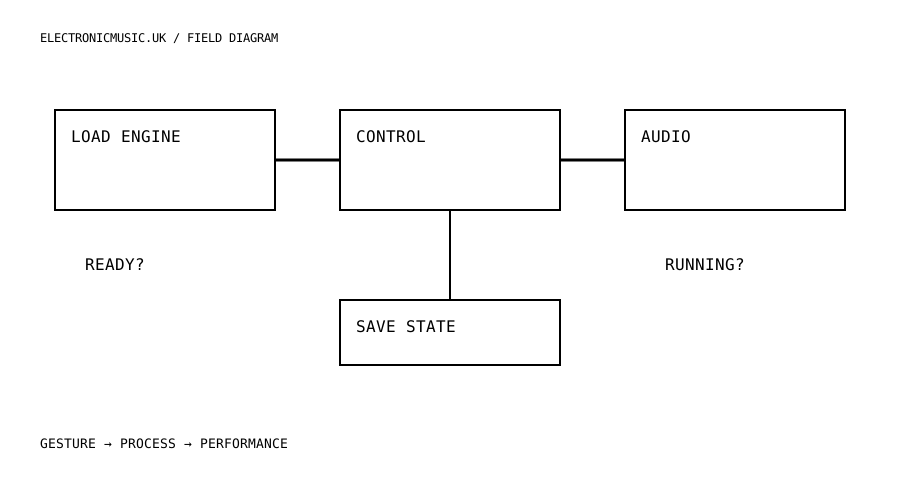
Represent loading as a real state. The page should know whether the runtime, patch and required assets have arrived. Keep Play unavailable until the instrument is ready, or explain exactly what is still loading. If an asset fails, show a useful message rather than leaving a motionless button that looks enabled.
Provide an explicit Start Audio action that can resume the context. Keep that action separate from recording and microphone permission. A musician opening a synth may not want to use an input device, and starting the engine does not imply that a take is being saved. Clear state labels make a small instrument feel dependable before any sophisticated sound design appears.
Build controls around musical range
Map each visible control to a documented parameter and display its current value in a meaningful form. For a frequency control, consider how the range feels under a pointer or finger. For a mode selector, show the names of the modes. For a momentary action, make the pressed and released behaviour explicit. The interface should describe what the sound engine does, not merely imitate a hardware knob.
Keep parameter changes coherent when presets load. The visible control must update to the recalled value, and the next user movement should behave predictably. Test this with a parameter near either end of its range. A control that looks centred while the engine is at maximum invites an unpleasant surprise.
Distinguish audio connections from event routing. Cycling ’74 documents that connecting RNBO device audio nodes does not automatically forward MIDI events between those devices; event routing needs its own implementation. Draw both paths if the instrument contains several devices. A sequencer can be audibly silent because its event route is missing even when the audio graph looks complete.
Add a restrained master level and a clear panic or reset action with a defined scope. Decide whether panic releases voices, mutes output, clears effects or performs several of these operations. Test it with held notes and long tails. A label is only useful if the behaviour behind it is consistent enough for a performer to trust.
Publish the whole experience
Keep the patch export, runtime dependency, assets and interface source together under version control. Record the versions used and verify compatibility against the current RNBO documentation. Do not replace a working runtime with an unrelated latest version immediately before publishing. A reproducible instrument is easier to maintain than a page assembled from whatever happened to load during development.
Test from the deployed HTTPS address on the browsers and devices you intend to support. Try a fresh session, a slow asset load, an interrupted audio context and repeated starts. Check keyboard access and touch interaction as well as a mouse. For optional MIDI or microphone features, test unavailable and declined-permission states so the core instrument remains understandable.
Ask another musician to play for one minute with only the on-page instructions. Observe where they hesitate. Do not explain the interface while testing it; the moment you intervene, you stop learning what the page communicates on its own. Improve the labels, starting sound or control range that caused the hesitation.
Finally, include a short statement of what the instrument records and exports, if it records at all. Make any download name and format accurate. The finished browser instrument consists of more than its synthesis engine: it includes the route from arrival to first sound, the decisions available while playing and the way the musician leaves with something useful.
Try this.
Export one small RNBO patch with three performance controls. Implement loading, ready and audio-running states, then ask another musician to make a one-minute phrase from the deployed page without spoken help.
Listen back
- Which parameters belong on the performance surface?
- Can the interface explain why sound is not ready?
- Are audio and MIDI/event routes both implemented?