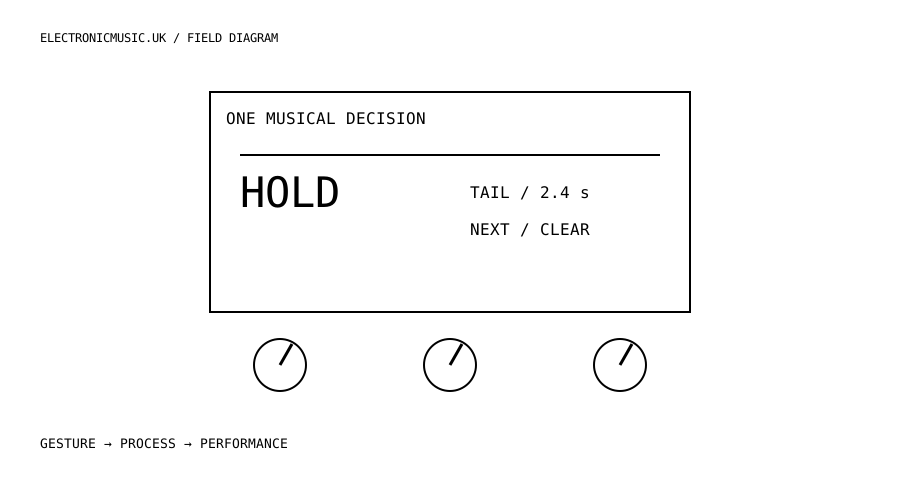
Choose the decision before the drawing
A waveform can be beautiful and still tell a player very little. Before drawing a custom RNBO screen for Move, write down the question the performer asks most often. Am I about to overwrite the loop? Which region will play next? How far is this pressure gesture from the point where the sound breaks apart? Choose one question. It becomes the organising principle for the display, the parameter names and the behaviour of the controls.
For a first project, design a two-region loop instrument. One region is stable; the other is available for recording or transformation. Give the player an unambiguous way to hear either region and a separate way to decide which one is editable. That separation matters: the sound you are listening to and the memory you are changing need not be the same thing. Start with those states on paper, including what happens when recording stops without receiving useful audio.
Use the existing framework
Cycling ’74 documents User Views as buffers that a patch draws into, with named views, optional layers and an associated parameter view. The documented full-screen buffer is 1,056 bytes: 1,024 for pixels and 32 for its header. The display helper handles the header and drawing readiness. This is a developing interface, so begin with the current supplied example rather than reproducing an older snippet from a discussion.
First export an unchanged example and confirm that its view appears. Then replace only the displayed information. Show two labelled regions, a clear recording state and a position marker. Keep the control surface functional while the custom view is visible by following the documented parameter-view association. Do not make animation a dependency of audio processing: if the display is busy, the sound and control logic should keep doing their work.
Make the interface legible under pressure
A tiny screen rewards differences in shape and position. A filled block can mean sounding; an outlined block can mean selected for editing. A recording indication should occupy a consistent location and remain visible while knobs move. Avoid asking the player to remember what an isolated number means. A value of 0.73 is less useful than a bar whose end is visibly labelled as the destructive or unstable limit.
Treat every encoder as a musical range. Put frequently used values across enough travel that a small accidental movement does not destroy the phrase. If a control switches between modes, name the modes instead of presenting an unexplained integer. Build a deliberate route back to the starting sound. That route might restore a stored parameter set while leaving the audio buffer untouched; state this explicitly in the interface, because restoring settings and restoring recorded material are different operations.
Add animation only when it answers the chosen question. A moving head can show playback position. A changing outline can show that capture is armed but has not started. A decorative waveform that flickers whenever the engine is busy may distract from both. Film the display and your hands during a short rehearsal, then watch without sound. It should still be possible to identify the moments when the instrument changed state.
Rehearse the awkward transitions
Test entry and exit as carefully as the main sound. Start with an empty region, record a very short event, switch regions during a tail, change a parameter while capture is armed, and recall the initial settings after a long improvisation. Write down the intended result before each test. This produces a useful small specification without pretending that a drawing proves the instrument is reliable.
RNBO Move Takeover remains documented as an experimental alpha and operates as an alternative to the standard Move environment. Keep the patch, its assets and its deployment notes together. Record the runner and export versions you used. A future update can change a young interface, and a saved screenshot will not recover a missing buffer or parameter mapping.
Finish with a performance constraint: one minute, two controls, no menu navigation. Listen for whether the screen enabled a decision sooner. If it did not, remove information rather than adding another page. A professional interface does not need to look expensive. It needs to tell the truth about the instrument at precisely the moment the musician needs it.
Try this.
Sketch four states for a two-region looper: empty, armed, recording and playing. Implement the state labels before a waveform. Record a one-minute performance and check whether every state change is visible without listening.
Listen back
- Which decision actually requires a screen?
- Can a player distinguish the region being heard from the region being edited?
- What survives a parameter reset, and is that clear?