A flashing step is not the clock
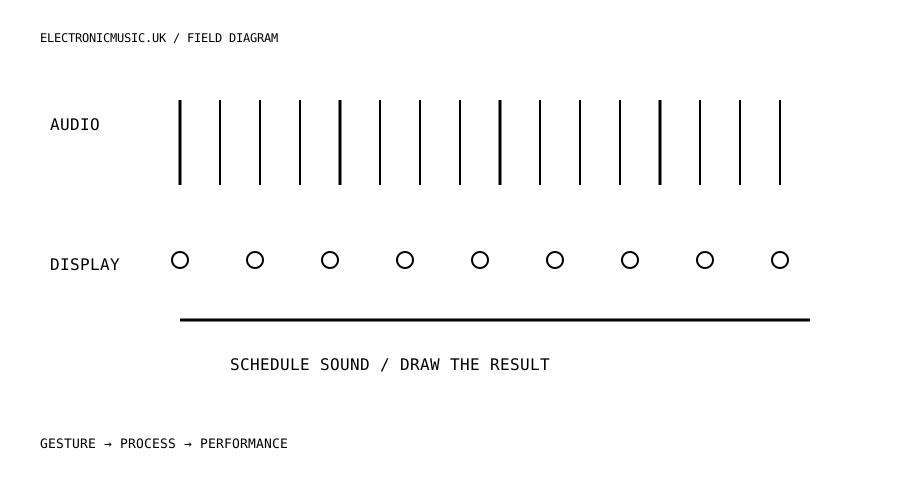
It is tempting to make a sequencer by advancing a counter in a JavaScript timer, playing a sound and lighting a step at the same moment. The interface looks coherent, but the timer is also sharing the browser’s attention with other work. A busy page can make the callback late. The sound should be scheduled against the audio system’s time, with the display following that schedule.
MDN’s Web Audio sequencing example demonstrates a look-ahead pattern: a short JavaScript timer regularly queues events slightly into the future using AudioContext time. Animation is handled separately. Its example timings are a starting point for a demonstration, not a universal guarantee of latency or resilience. The useful principle is to give audio events a timestamp rather than asking a screen update to be punctual.
Build one reliable lane
Start with one short decoded sample and a four-step pattern. Keep loading and decoding outside the repeating scheduler. Choose an explicit transport state containing the next step and its scheduled time. When the scheduler runs, queue every event that belongs within the current scheduling horizon, then leave future events for a later pass.
Keep a list of scheduled visual events with their audio times. The animation loop can show the step that corresponds to the current audio position. If the page draws a frame late, it should catch up visually rather than moving the musical event. This separation also lets you simplify the graphics during performance without rewriting the timing engine.
Give Stop a precise meaning. Should an already sounding sample finish? Should a delay tail continue? Should queued notes after the stop point be cancelled or muted? Decide and implement that behaviour. Simply stopping the JavaScript timer does not necessarily silence events already scheduled in the audio graph. Keep references or a suitable gain route so transport actions can control the sound that has already been prepared.
Edits reveal the quality of the instrument
Now change tempo during playback. A longer scheduling horizon can tolerate more delay in the page’s work, but it also means more of the near future is already committed. A very short horizon reacts quickly but leaves less room for late callbacks. There is a practical tradeoff, so choose a design for the intended instrument and test it on the devices you expect people to use.
Decide when pattern edits become audible. A step could change immediately if it has not been queued, or the interface could make changes at the next cycle boundary. Either can be musical. What feels broken is an interface that suggests an immediate change while an unexplained old event still plays. Show pending changes if the pattern intentionally commits a bar in advance.
Separate sequenced events from live playing. A note triggered by a performer should not automatically wait behind an unnecessarily large sequencer horizon. The live path and the pattern path can share a sound engine while using different scheduling decisions. Compare their feel by playing against the sequence and listening to the relationship, not only watching the cursor.
Use a restrained gain envelope on sharp sounds and level changes where needed. A rhythm engine can be well timed and still produce distracting clicks from discontinuities. Keep those problems separate during debugging: missed timing, overloaded processing and abrupt signal changes can sound superficially similar while requiring different fixes.
Test the transitions, not only a minute of playback
Try repeated start and stop, fast tempo changes, pattern edits near a step boundary and loading a different sample while stopped. Test the behaviour when the audio context is suspended and resumed. Make the interface report readiness instead of allowing a play button to imply that missing assets are already available.
Check background and foreground transitions on the intended browser. Do not promise uninterrupted background performance without verifying the platform’s actual behaviour. Mobile operating systems, audio interruptions and browser policies can affect a session. A clear paused state and predictable restart are better product decisions than silently pretending the transport never stopped.
Finally, record a short output and listen without the animation. Then watch the animation without sound. The audio should have a coherent pulse; the graphics should explain the transport without claiming to be its source. Once that foundation works, swing, probability and unusual pattern lengths become musical additions instead of decorations around an uncertain clock.
Try this.
Build a four-step lane with an audio-time look-ahead scheduler and a separate visual queue. Test Stop with queued events, edit one step just before it plays, and compare live-note response with the sequenced path.
Listen back
- Which clock decides when the sound starts?
- When does a pattern edit become committed?
- What should Stop do to queued notes and effect tails?