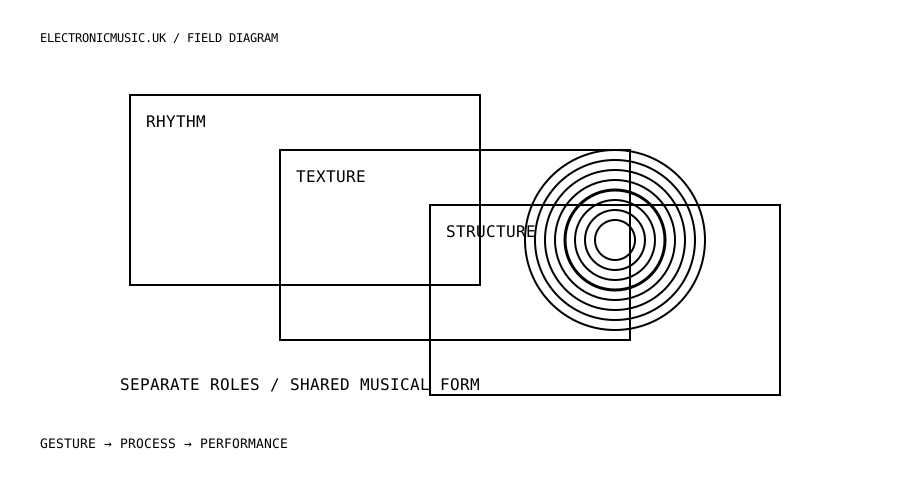
Start with three roles
Choose a piece with a clear pulse, a sustained texture and a noticeable change of section. Make one visual layer for each role. The pulse layer might be a compact shape, the texture a field of slowly changing marks, and the structural layer a shift in the overall composition. Do not begin with three elaborate scenes. Begin with three different responsibilities.
Listen once without designing anything. Write where the piece becomes more crowded, where it opens and where a repeated event becomes significant. These are compositional observations, not instructions to flash on every beat. A good visual mapping can remain quiet for a long time if that restraint makes the next change legible.
Choose a measurement that answers the question
Magic 2.5 provides audio features including overall volume, frequency-range energy, estimated pitch and brightness. Its manual distinguishes these measurements and supplies example projects. Use a frequency range when you want activity in a particular part of the spectrum; use a pitch estimate only when the source is suitable for that interpretation. A mixed drum loop is not a reliable substitute for a clean monophonic pitch source.
For the pulse layer, audition the source or frequency region before linking it to a visual parameter. Does it follow the event you care about, or does it react to several unrelated sounds? If separate stems are available, a dedicated source may be more understandable than trying to infer everything from the final stereo mix. Keep the audio routing simple enough to explain.
Map the first source to one parameter with a modest range. Watch the quietest and loudest passages. The shape should have somewhere to move without immediately filling the screen. Then add the texture layer with a slower or less emphatic visual response. This difference in behaviour matters more than giving the layers different colours.
Let the performer control the structure
Use a manual action for a structural change that cannot be inferred reliably from amplitude alone. A loud section is not always a new section, and a quiet transition can be the most important event in the piece. Magic’s MIDI and OSC input features require the Performer edition. Check the edition before designing a controller-dependent set.
Assign a small number of actions: advance, return and reduce intensity. Rehearse them while your hands are also responsible for the music. If the mapping demands attention at every bar, it may compete with the performance rather than support it. Consider letting the audio animate details while the musician decides only the larger visual state.
Compare a cut with a crossfade at the same musical transition. A cut can articulate a change sharply; a crossfade can let the old image remain as a memory. Magic’s documentation notes that a transition draws two scenes concurrently, so rehearse the transition itself at the intended output resolution. A scene that runs smoothly alone does not establish that every transition will do so.
Give the image a convincing low-intensity state. It might contain very little motion, a small area of light or a persistent trace from the previous passage. Avoid treating inactivity as a failure to be filled with more animation. The visual equivalent of silence can give the next event its scale.
Check the whole presentation
Run the piece from beginning to end without editing. Mark moments when the image distracts from a sound you want the audience to notice. Reduce those mappings first. Then identify one moment when the image could make a structural relationship clearer. Improve that moment specifically instead of increasing activity everywhere.
Test the actual display route. Resolution, projector processing and frame rate affect the relationship between a gesture and the image the audience sees. Use a simple repeated event to compare the audiovisual response before adding complexity. Treat any timing adjustment as part of this particular system, not as a universal number that will transfer unchanged to another venue.
Collect the project’s assets using Magic’s documented asset-management workflow and reopen the collected project. Check that videos, images and audio files resolve from the intended location. Keep a static or simple fallback scene available, with a clear route to it. If the demanding scene fails, the performance should still have a deliberate visual presence.
Finally, record a short excerpt from the audience’s viewpoint if practical. A screen capture shows what the software rendered; a camera can reveal the relationship between the performer, room and displayed image. Evaluate the actual presentation. Three simple layers that explain a musical relationship can be more persuasive than an intricate patch whose behaviour nobody can follow.
Try this.
Create pulse, texture and structural layers for one piece. Use audio for detail and one manual action for a section change. Compare a cut and a crossfade, then perform the whole piece without editing.
Listen back
- What musical role does each layer serve?
- Which change requires human intention rather than a measurement?
- Does the image have a convincing quiet state?