Establish the untreated reference
A browser microphone is a useful instrument input, but the signal may arrive through processing intended for conversation. Echo cancellation, noise suppression and automatic gain control can change the relationship between a quiet breath, a sustained vowel and a loud consonant. Before designing a dramatic vocal effect, establish what your capture path actually delivers.
Request the processing settings appropriate to the musical use and inspect the resulting audio track’s settings. MDN distinguishes requested constraints from the settings the browser actually selected. A plain boolean preference is not the same as an exact requirement, and supported properties vary. Report the effective settings when available; do not label an input unprocessed solely because the application asked for it.
Record a short reference containing silence, breath, a quiet vowel and a louder phrase. Listen for noise being pulled forward, held sounds changing level or consonants disappearing. This is an observation exercise, not a laboratory measurement. Keep the same microphone distance and hardware gain while comparing settings so the test answers one question at a time.
Separate capture from monitoring
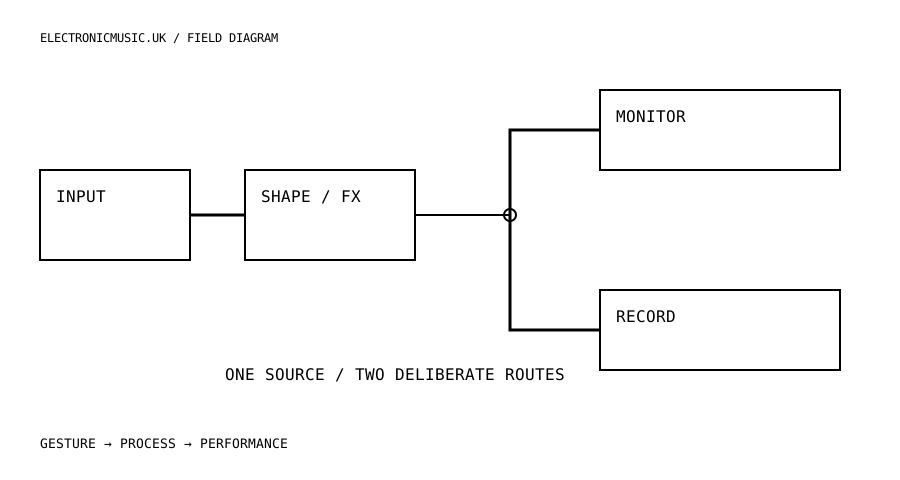
Draw three routes from the input: a meter, a dry recording path and an effects path. Decide which paths are active when monitoring is muted. A musician should be able to record without hearing an unwanted live return, and should be able to hear an effect without mistaking that action for a recording. Give each state a clear label.
Use headphones for the first monitoring check and begin with a low return level. If an audio interface also provides direct monitoring, decide whether that dry path should remain audible. Hearing both a hardware-direct voice and a delayed software copy can produce an unintended doubled or hollow result. That can be an effect, but it should be a choice rather than a routing accident.
Put the input meter before creative gain changes so it can answer a simple question: is a usable signal arriving? Put an output meter after the effect chain to show a different fact. One meter cannot clearly explain both a quiet microphone and a loud feedback tail. Label the meters by position rather than giving them decorative movement.
Make one transformation playable
Start with a short delay and a filter rather than a long chain. Choose one gesture that changes the relationship between intelligible speech and texture. For example, a control could increase the delay send while gently darkening the live voice. Keep the dry reference available so the transformation has somewhere recognisable to return.
Use separate controls for input level and creative intensity. A performer turning up the effect should not have to guess whether they are also increasing the microphone’s gain. Bound feedback deliberately, smooth large parameter changes where the implementation requires it, and provide an obvious way to clear the accumulated tail. Test that action while the microphone remains live.
Build a phrase from contrasts in delivery. Whisper a consonant-rich fragment, hold a vowel, then stop speaking and shape the repeats. Listen to whether the effect responds to those differences. If every input becomes the same cloud, reduce the processing until articulation matters again. A vocal instrument becomes expressive when the mouth can influence it as much as the controls.
Try a second pass with the source kept quiet and the effect return foregrounded. This reveals noise and room sound that a louder direct voice may have concealed. Decide whether those details belong to the piece. Do not apply suppression automatically just because there is noise: the breath or room may be part of the material you intended to play.
Record a result that can be understood later
Choose the recording target explicitly: dry input, processed output or both if the application supports separate captures. A session recording of the mix is not automatically a collection of editable stems. Use filenames and a short session note that make the distinction clear. Preserve the effective input settings when possible, because a later take may otherwise sound different before the effect chain begins.
Run a ten-second recording test, stop it, download it and play the file back. Confirm the beginning, the tail and the format actually produced. Browser recording support and encoder choices vary; a filename extension should reflect the real container rather than a hoped-for WAV. If the application promises WAV, it must implement and verify that export path.
Finish by turning monitoring off and stopping input capture through the interface. The session should end visibly and audibly. That clear ending is part of a professional vocal workflow: the musician knows what was heard, what was saved and whether the microphone is still active.
Try this.
Compare a fixed vocal phrase under requested and effective capture settings. Establish dry and processed routes, make a ten-second test recording, download it and verify its contents before a full take.
Listen back
- Are displayed settings requested values or effective values?
- Does monitoring Off leave recording behaviour clear?
- Is the saved file dry, processed or a complete mix?