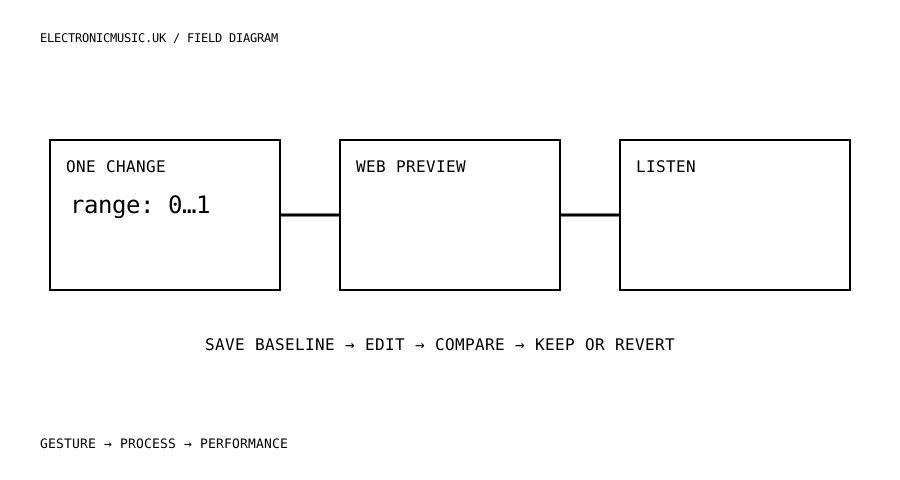
Write a change you can hear
A useful first firmware experiment fits into one sentence. Make a macro reach its aggressive range more gradually. Make a page show the unit you actually think in. Give a repeated action an explicit state instead of a hidden toggle. These are modest changes, but each tests the relationship between software and musical behaviour. Begin with a problem from your own rehearsal rather than a list of features borrowed from a larger instrument.
Write down the current behaviour and the desired behaviour with a concrete example. If the first half of an encoder movement is nearly silent and the final few steps jump abruptly, describe the intended distribution. Do not start by changing the sound engine. Find out whether the existing problem is in the parameter range, the response curve, the displayed value or the way input events are handled.
Get a reproducible starting point
M-VAVE publishes the FM1 application with a binary device SDK and a local web-preview build. The documented preview command is .\tools\Build-Web.ps1 -LocalPreview, run from a matching source kit. The repository also distinguishes the web build from hardware firmware builds. Follow the current README for dependencies and version requirements rather than assuming an older toolchain will work.
Download or check out a specific revision and preserve it before editing. Run the unmodified preview first. Record which operating system and source revision you used, whether the build completed, and whether the basic controls respond. If the original will not build, solve that baseline problem before adding your change. Otherwise every subsequent failure has two possible causes.
The application’s GPLv3 licence includes an SDK-linking exception, while the device engine has separate binary SDK terms. Keep the relevant notices with your work and consult the project’s distribution instructions if you publish a build. An open application is a real opportunity to modify behaviour; it does not mean every underlying component is available as editable source.
Compare musical behaviour, not just successful compilation
Make the smallest edit that expresses the hypothesis. For a response curve, preserve the original minimum and maximum initially and change only the path between them. For a label, change the visible wording without altering the stored value. Keeping those concerns separate makes it easier to hear whether the edit helped and easier to return to the previous state.
Use a fixed phrase for comparison. A repeated note at three velocities, a slow parameter sweep and a short chord will reveal different problems. Save a short recording of the original and the changed behaviour using the same levels. Listen away from the screen. The new curve should earn its place through control and sound, not through the satisfaction of having compiled something.
Try the inconvenient values as well as the sweet spot. Turn the control fully down, fully up and quickly back again. Reload the patch. Change pages while a note is held. Check that a stored value still means what its label says. An attractive middle range is not enough if a boundary produces a sudden jump or a recalled preset opens somewhere unexpected.
Keep a plain-language change note with the test phrase. Write what you expected, what you observed and what remains unknown. That last column matters. A browser preview can support a claim about the preview; it cannot establish physical encoder feel, device timing, battery behaviour or every interaction with hardware MIDI.
Decide whether the idea deserves the device
The FM1 browser simulator has documented limitations, including previewing MIDI preferences without sending performance MIDI to external ports. Treat a successful browser experiment as evidence for the next step, not as proof of a finished hardware modification. Before any device build, use the matching complete source and SDK kit, preserve your existing projects and samples, and read the current update and recovery instructions.
Set a clear reason to continue. Perhaps the new response curve makes a useful region accessible, or the revised display prevents a mistake that happened repeatedly. If the change merely adds another option, keep it as a study and move on. Not every experiment needs to become your performance firmware.
A good small contribution is understandable by someone else. Include the exact revision, the problem, the edit and the comparison method. Avoid describing a preview-only experiment as road-tested. This kind of precision makes a personal hack valuable to a wider community: another musician can repeat it, challenge it or adapt it without first guessing what actually happened.
Try this.
Build the unchanged web preview, choose one response or display problem, and change only that behaviour. Compare a fixed phrase before and after. Record what the preview establishes and what still requires the physical device.
Listen back
- Can the desired change be described in one sentence?
- Have display, range and sound-engine changes been kept separate?
- Which claims still require hardware testing?